Where the portfolio stands
How the book of business splits by status, how it is trending, and which segments are pulling it down.
Home›Product
Seeing which customers are slipping, reaching them in time and forecasting what renews are three different jobs. Doing them in three different tools is why they get done late. In CS Motion they run on the same Salesforce records your team already works in.
Portfolio health
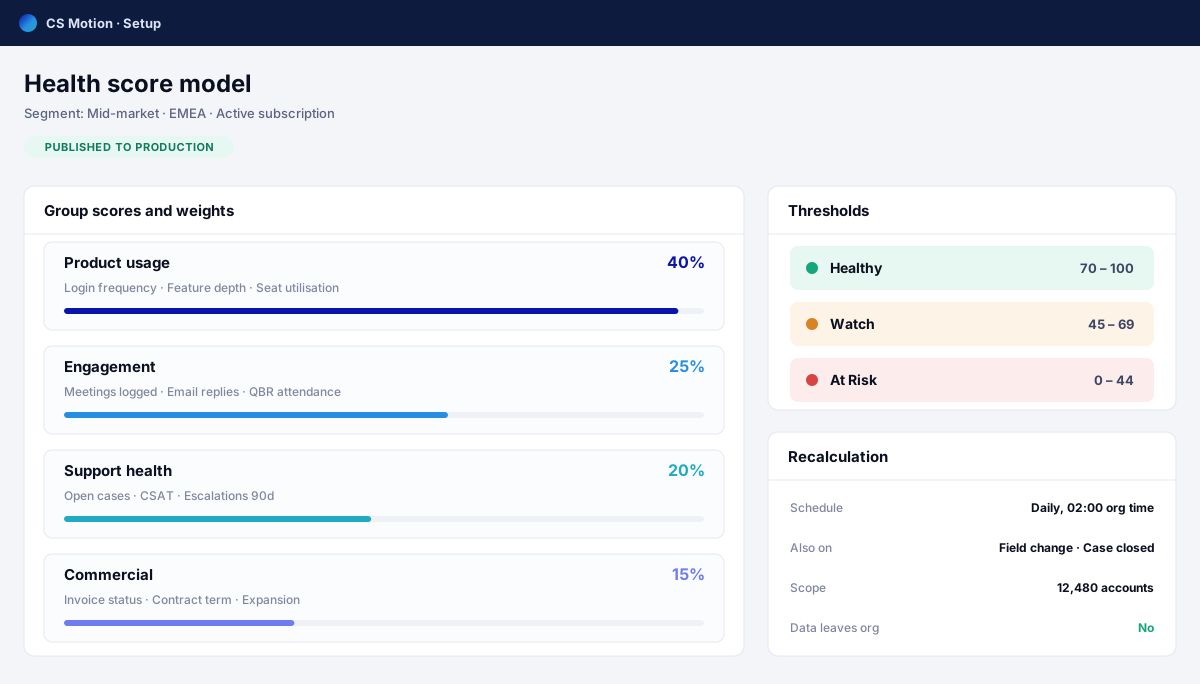
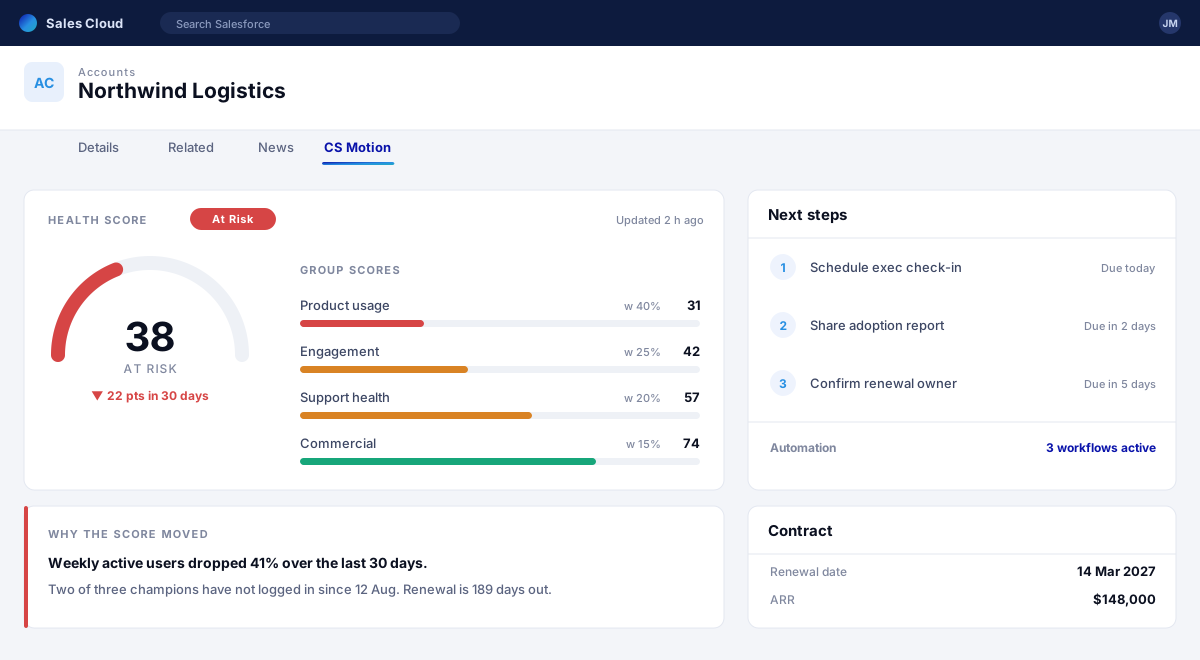
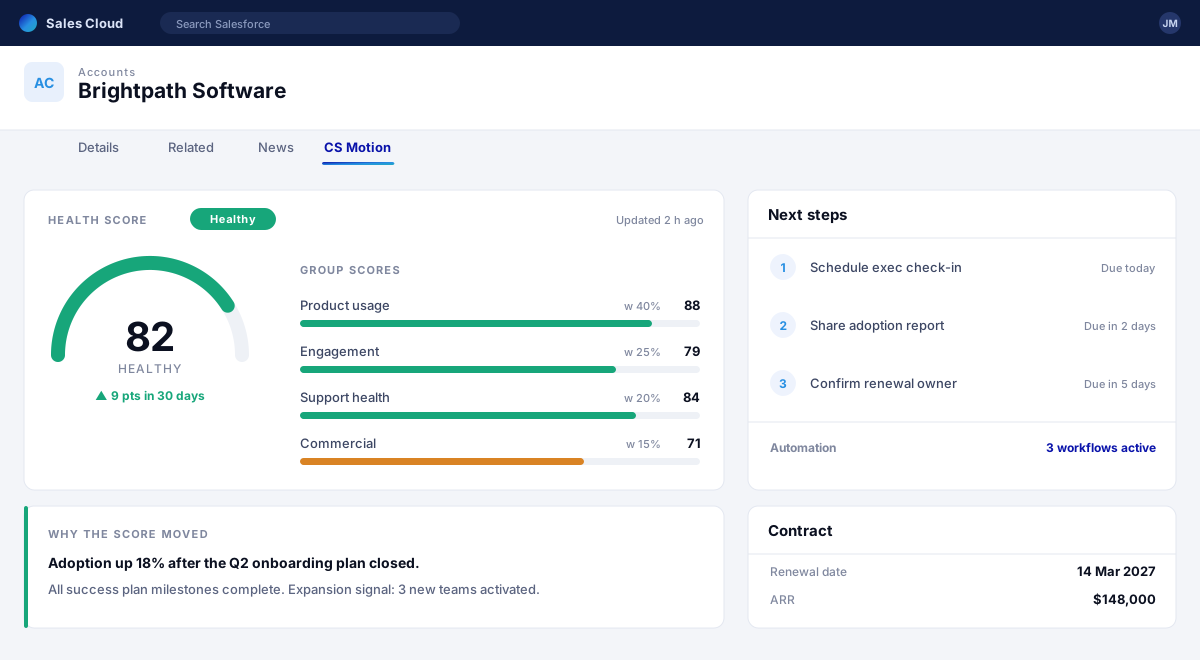
One health standard across the whole book of business, built from data your org already holds — so you can compare accounts, segments and CSMs on the same basis, and see the reason behind every number.
Proactive plays
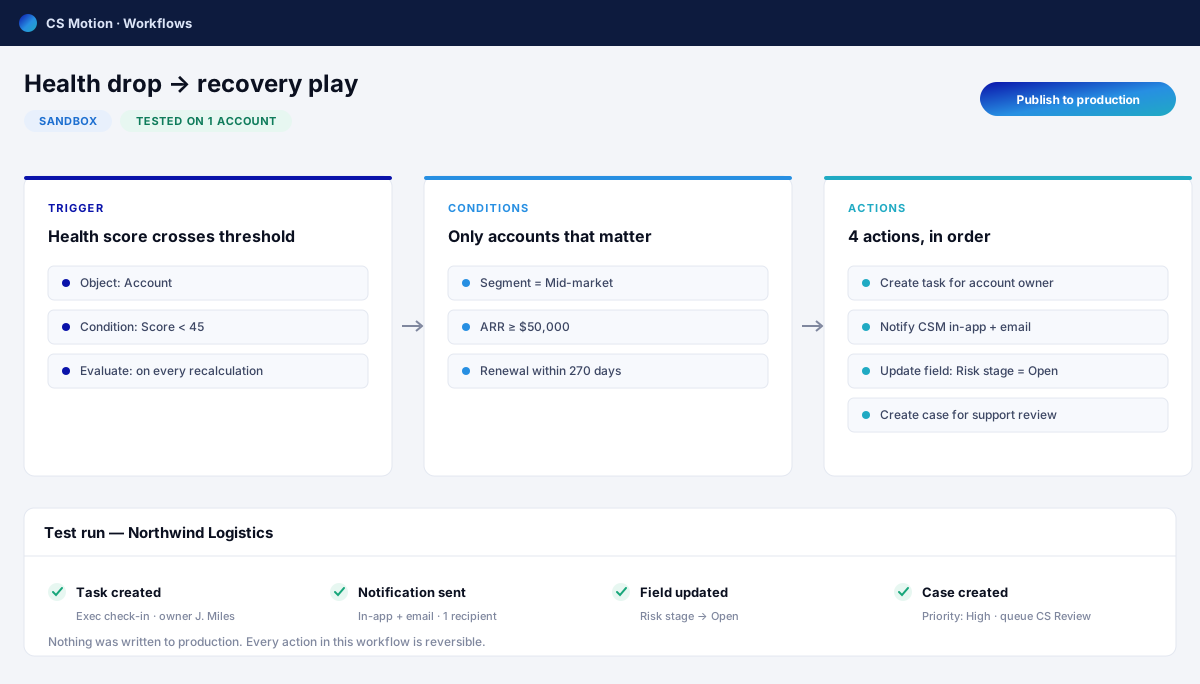
When health slips or a renewal comes into range, the play starts itself: the owner is told, the task exists, the outreach goes out. Your best CSM's instinct, applied to every account in the portfolio.
Nothing slips
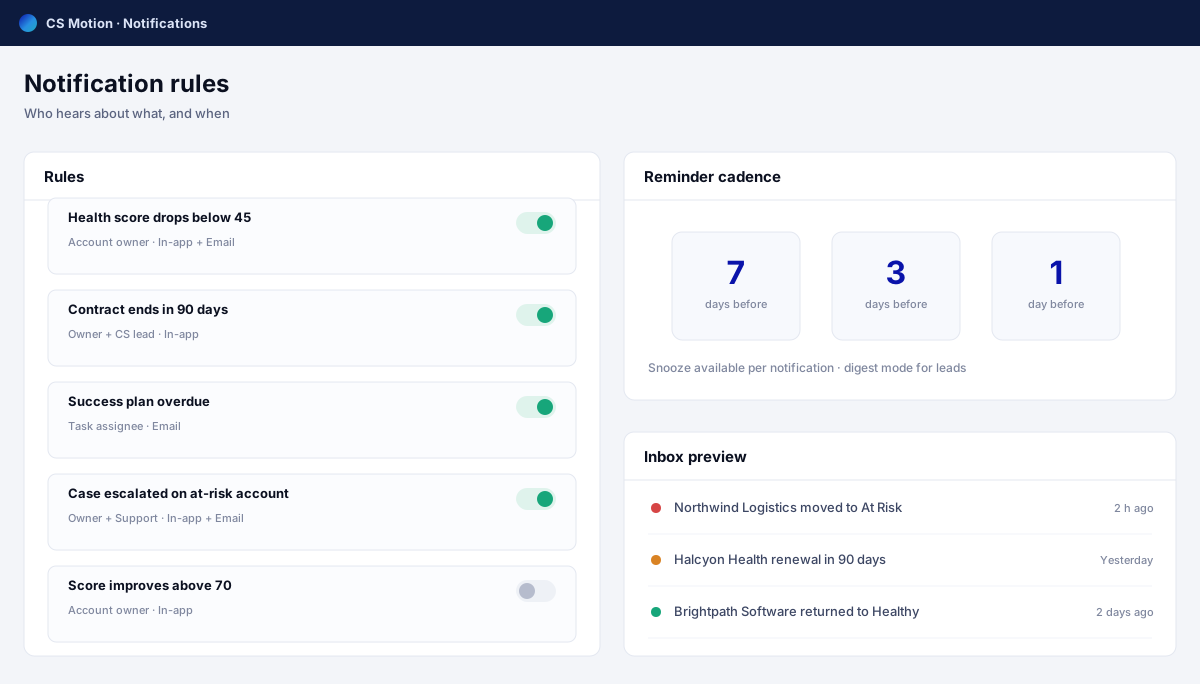
A notification only matters if someone acts on it. CS Motion tells the account owner, their manager or the whole team — in Salesforce or by email — while there is still time to change the outcome.
For leadership
Three views built on the same data your team works in — so the number in the board deck and the number on the account are the same number, and nobody spends the week before the meeting rebuilding a spreadsheet.
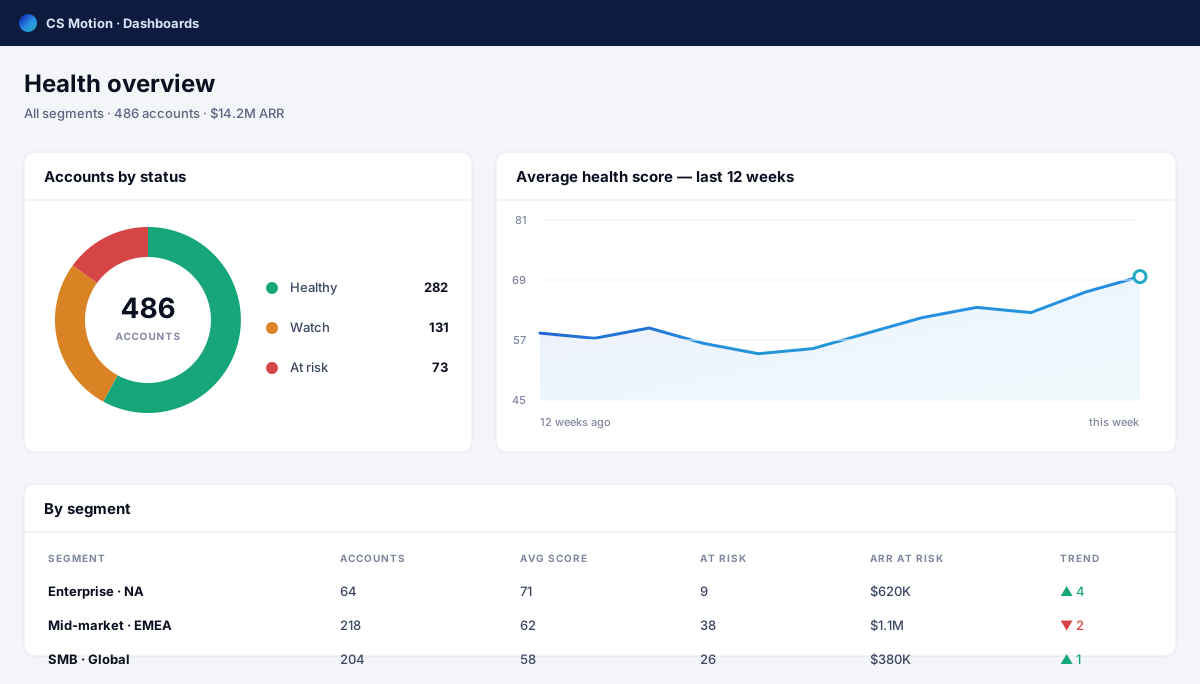
How the book of business splits by status, how it is trending, and which segments are pulling it down.
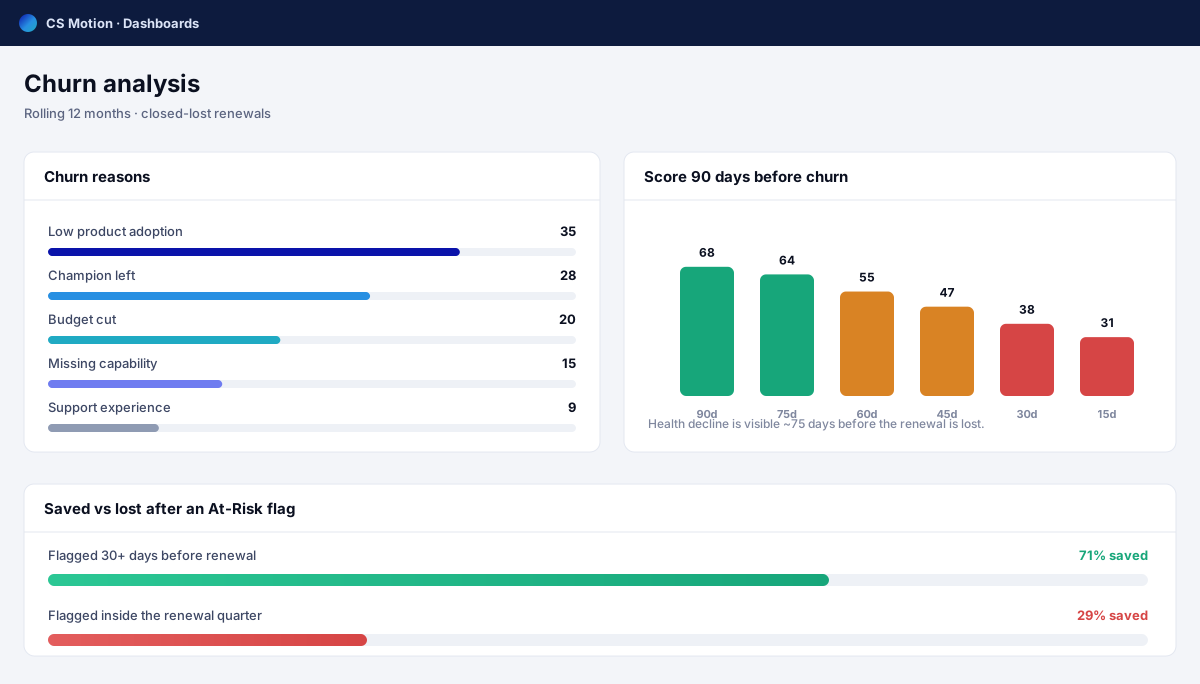
The reasons behind lost accounts, and how much warning there was before each one went.
Revenue up for renewal, split into on-track and at-risk, with the accounts behind every figure.
Setup & security
CS Motion runs inside your own Salesforce. The security rules you already trust are the rules it works under, so there is no new vendor to review and no new place your customer data lives.
Works on the records that matter to your business — standard or custom — configured to your setup.
No sync jobs, no external servers, no second copy of customer data.
Who sees what is decided by the profiles and sharing rules your admin already set.
Your existing admin sets it up end to end — no developers, no code, no queue.
Plans
Free is a working product, not a demo: one scoring model, real automation, the portfolio view. Pro removes the ceilings once your team is running on it.
| What you get | Free$0 | Pro$24 per user / month |
|---|---|---|
| Scoring models per segment | 1–2 segmentation filters | Unlimited, including custom fields |
| Signal groups | Up to 3 | Up to 10 |
| Scoring factors | 6 factors, 2 conditions each | Unlimited, graded and prioritised |
| Health bands | Up to 3 thresholds | Up to 7, editable risk messages |
| Active plays | 10 plays, 2 conditions and 2 actions each | Unlimited, 20 conditions and 20 actions |
| Leadership dashboards | Portfolio health, up to 2 filters | All three, with forecast and export |
Enterprise — priced per organisation. Everything in Pro, with user volume and commercial terms agreed for your company. Talk to us if that is where you are.
Pilot orgs are configured individually, without these limits, for the length of the pilot.
See it on your own data
Thirty days, your accounts, your definition of healthy. At the end we look at what moved and you decide from evidence.
Available on the Salesforce AppExchange soon — pilots run today, no listing required.